Pinpoint and fix deleted or unpublished content — Missing Content Reference Report
With the Missing Content Reference Report, you’ll immediately see where unpublished or previously deleted content is referenced, who last modified the content, and where to edit — so fixes are faster and the site stays reliable.
Log a support ticket to get access to the Missing Content Reference Report.
What it is
Once enabled, a new report that lists nodes or blocks which reference unpublished content (items that could cause the site to appear broken to visitors). Access the toolbar → Configuration → Mercury Features → Missing Content Reference Report.
How it works
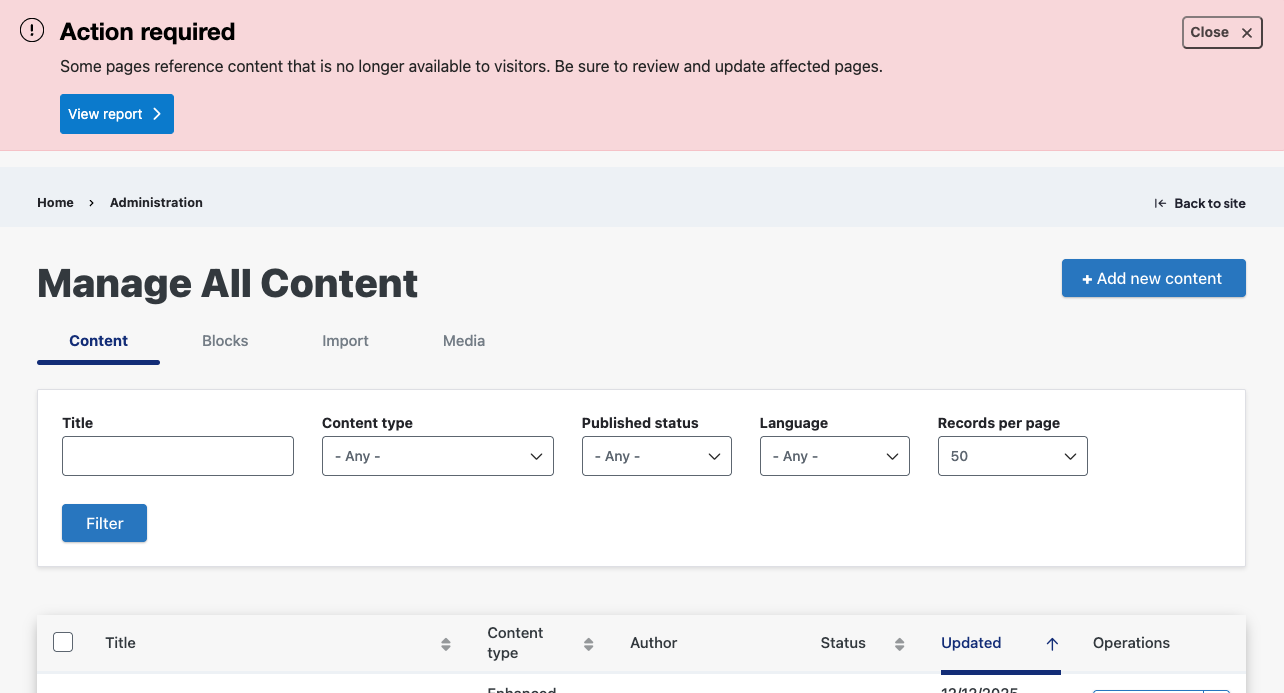
- When a missing reference is detected, an alert appears on all screens (this can be dismissed for the current session and will reappear at next login).
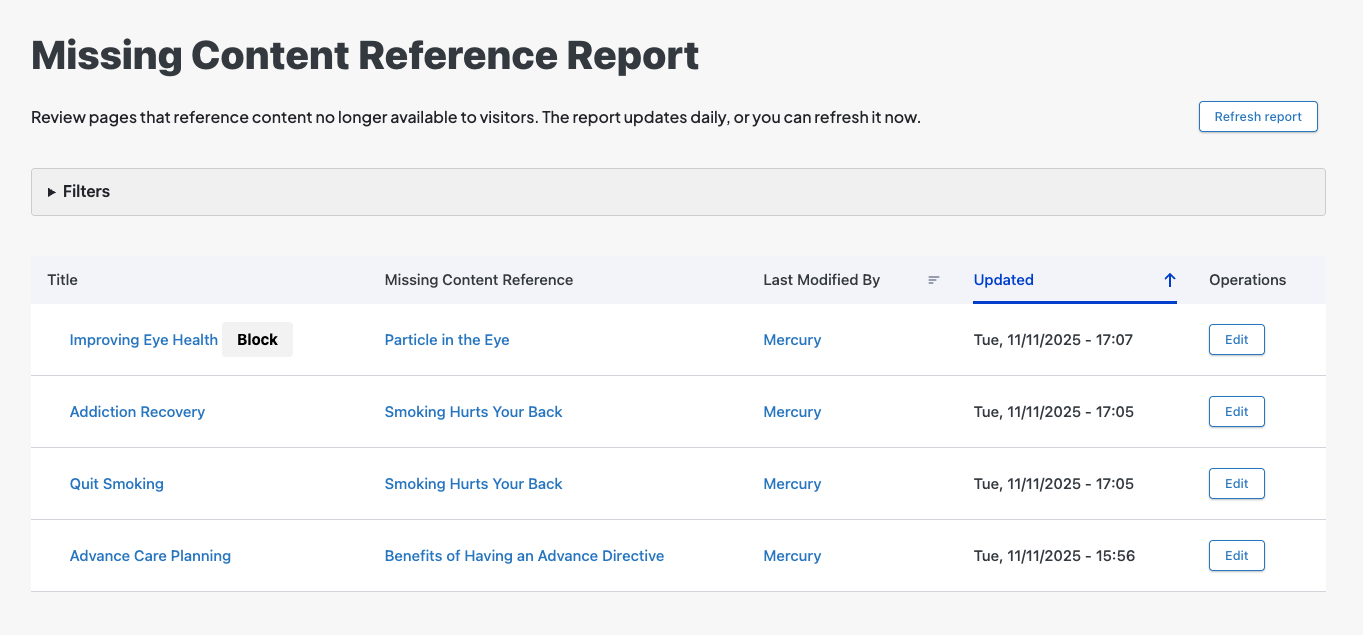
- The report shows each referencing item (title), the missing referenced item, who last modified the missing item, and the last modified date.
- Each row includes an Edit button that opens the edit screen for the item that contains the reference. If the referencing item is a block, a “Block” badge appears next to the title.
- Entries are removed automatically when the reference is fixed or the referenced item is published.
- The report refreshes automatically every 24 hours; you can force an immediate refresh using “Refresh report” in the report title (this resets the 24‑hour timer).
- Filters (node title, username, last-updated date) are available — To use, complete fields and click Apply Filters to narrow results.
Why it matters
The Missing Content Reference Report gives content managers a focused, actionable view of problem areas so unavailable or absent front-end references can be found and fixed quickly, improving site reliability and visitor experience.

Autocomplete fields now exclude unpublished content from suggestions. Content feed and listing grid components filter out unpublished nodes at render time so they never display to site visitors. This prevents visible broken or dead references for site visitors, and helps you avoid accidentally linking to unpublished content.
Related Help Content
 HealthHub
Accessibility support
WebMD Ignite is committed to providing health content and solutions that are relevant, relatable, and hel...
HealthHub
Release notes: March 12, 2026
Closed caption fix: Closed captioning was failing to display on HealthHub sites because videos were using...
HealthHub
Accessibility FAQs
Ensuring that people with disabilities can access and engage with health education content is at the core...
HealthHub
Release notes: July 9, 2026
Missing items in Listing Grid components on Enhanced Layouts: This fix resolves an issue where child webs...
HealthHub
Marketing Toolkits
Use these ready-made materials to ignite your content marketing:Social media postsBlog postsInfographics...
HealthHub
Release notes: May 28, 2026
Spanish article taxonomy and URL inheritance: Fixed an issue where Spanish translations failed to inherit...